Accounting and inventory for Nepal, built for the keyboard.
Works offline. Your books stay on your computer. Bring your books in from an XML file.
- Works offline
- Bikram Sambat and AD dates
- Every company, one licence
- Edit log with tamper detection
- XML import from other software
See SAHARA Core at work.
Real screens, with the keys that reach them. Sample company, invented figures.
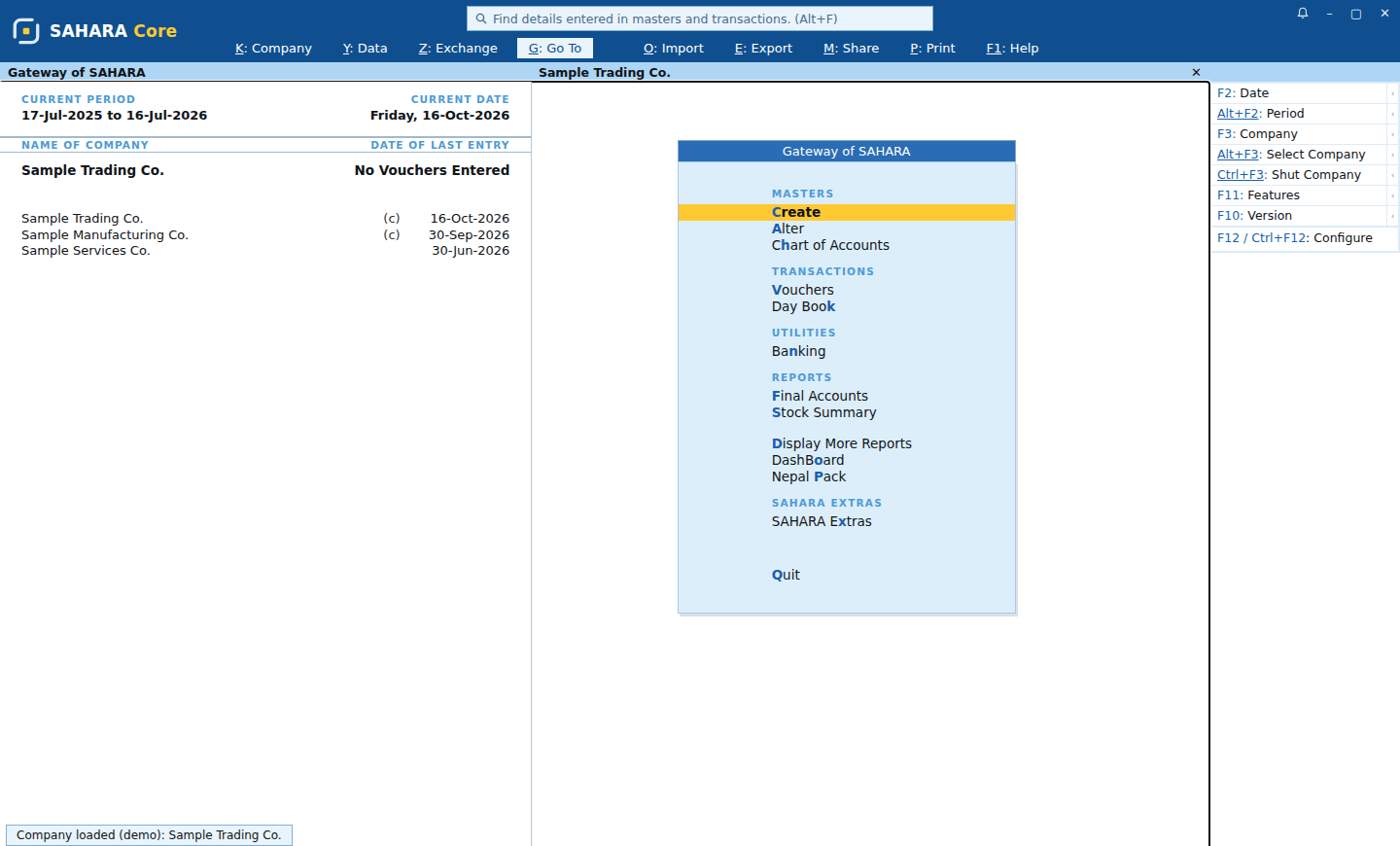
Every screen starts at the Gateway
One hot letter opens each item: V for vouchers, K for the Day Book, S for stock. No menus to hunt through.
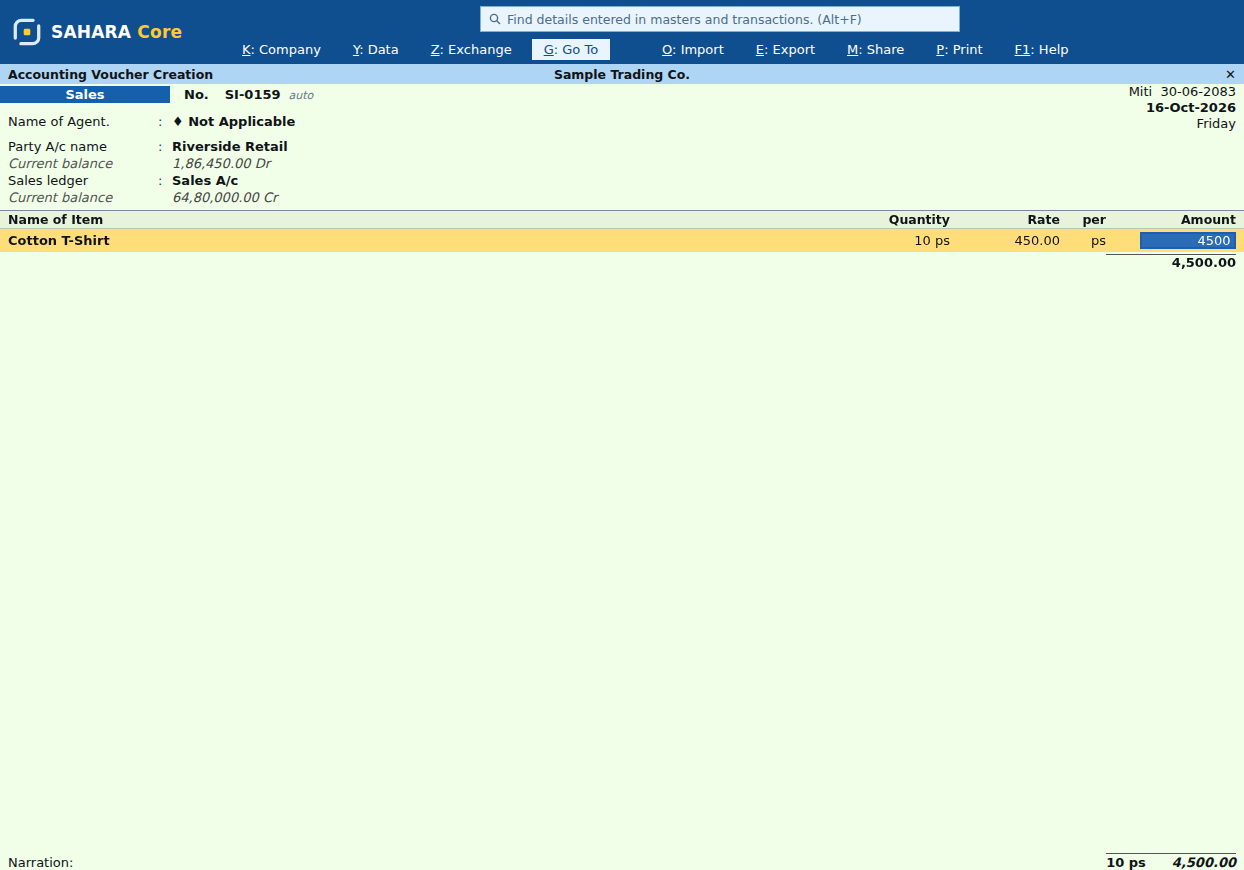
A sales invoice without the mouse
F8 opens Sales. Party, ledger, item, quantity, rate: Enter moves forward and the amount is worked out. Ctrl+A saves.
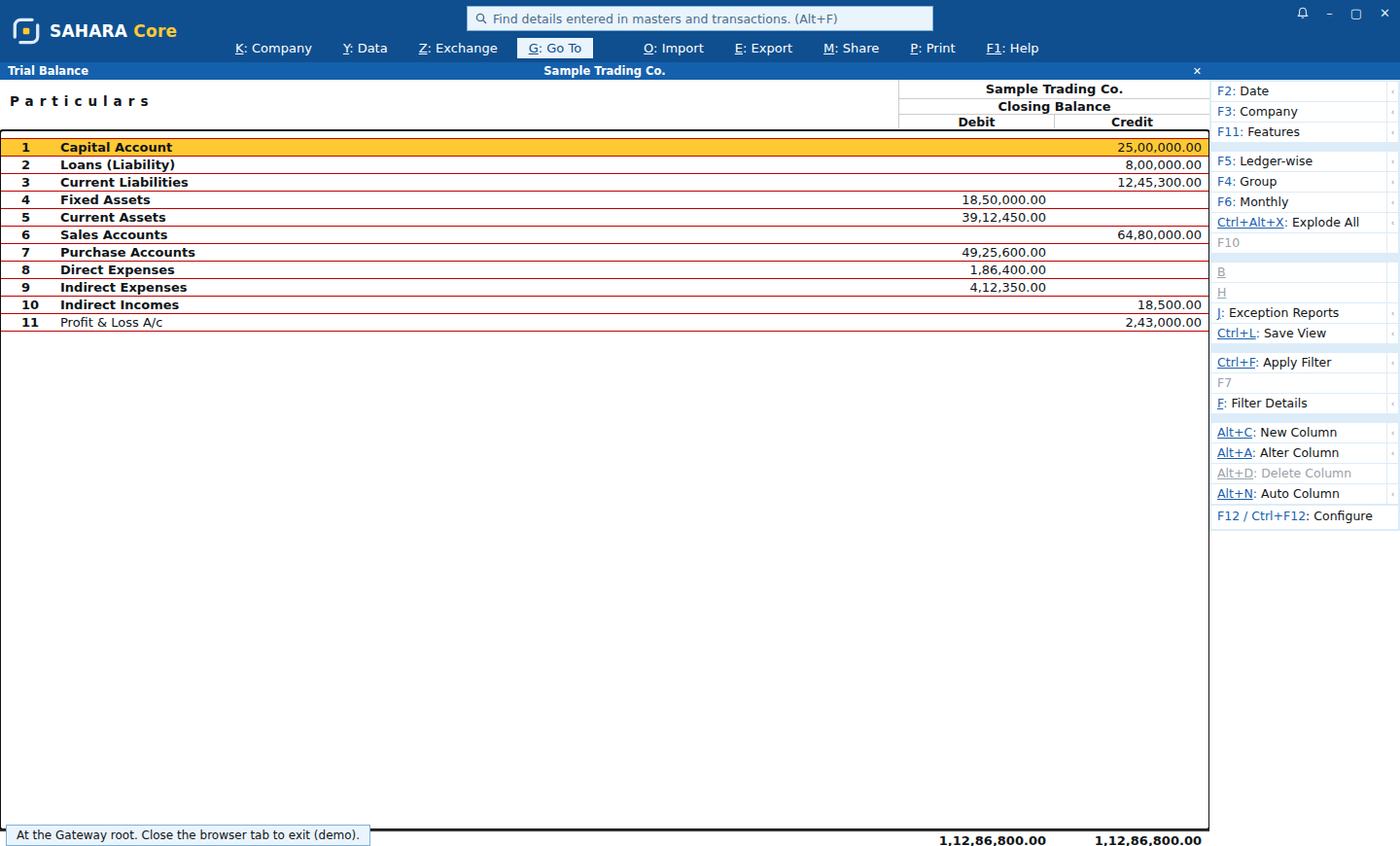
Final accounts, always balanced
Trial Balance, Balance Sheet, Profit & Loss and Day Book. Press Enter on any line to drill down to the voucher.
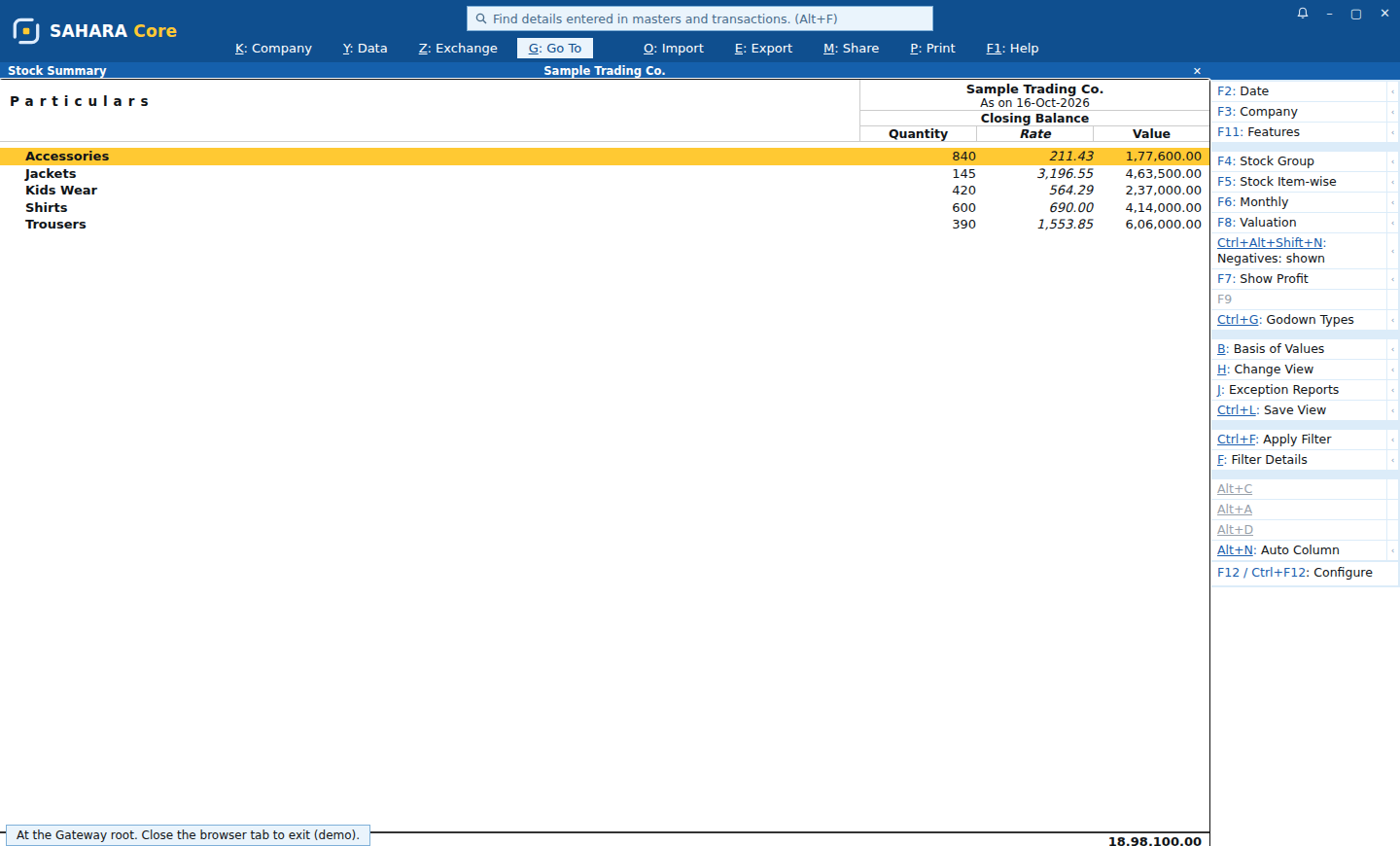
Stock you can trust
Stock Summary by group with quantity, rate and value. Nine valuation methods, godowns, reorder and ageing.
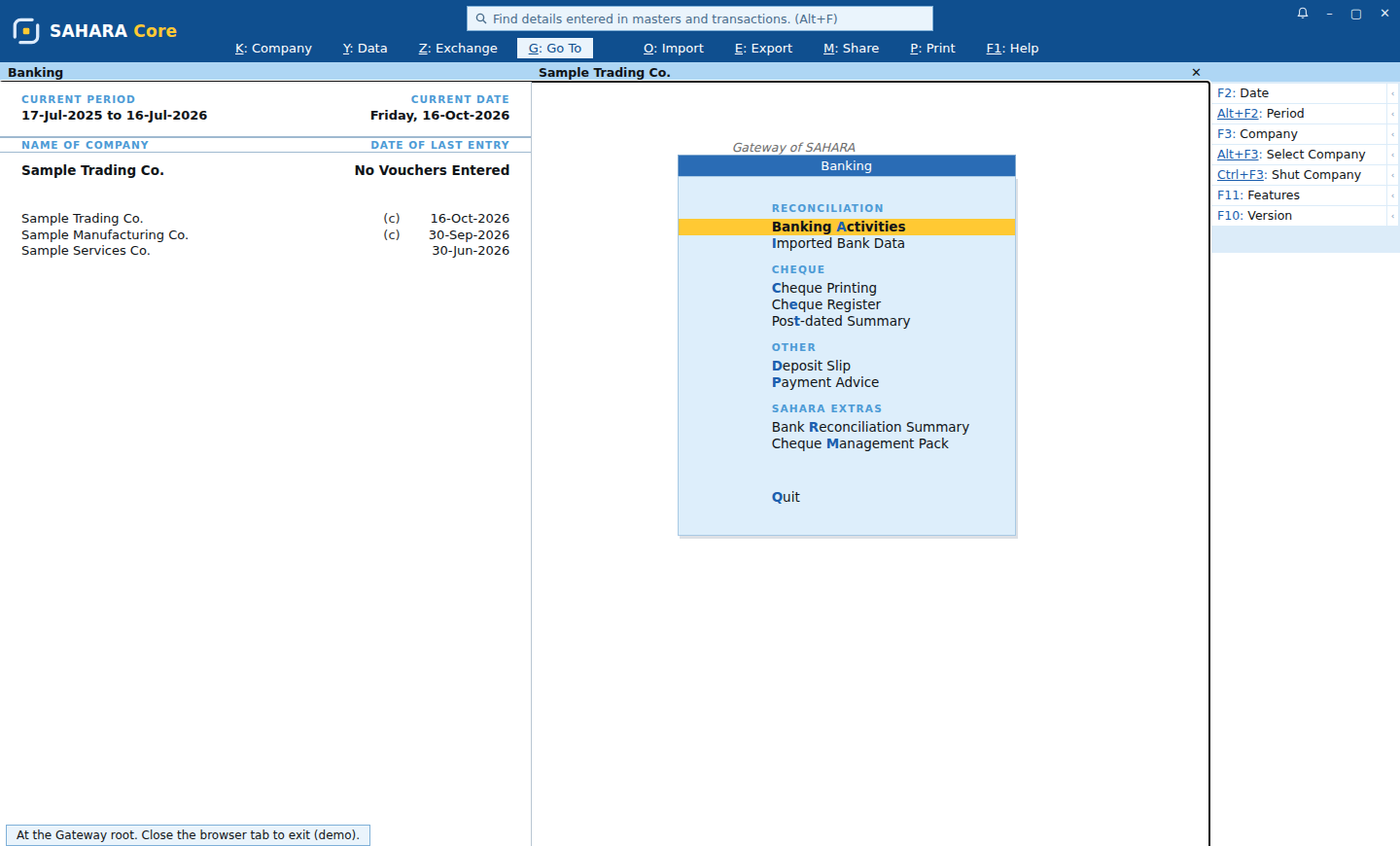
Cheques and banking, built in
Cheque printing, the cheque register, post-dated cheques and bank reconciliation, one key from the Gateway.
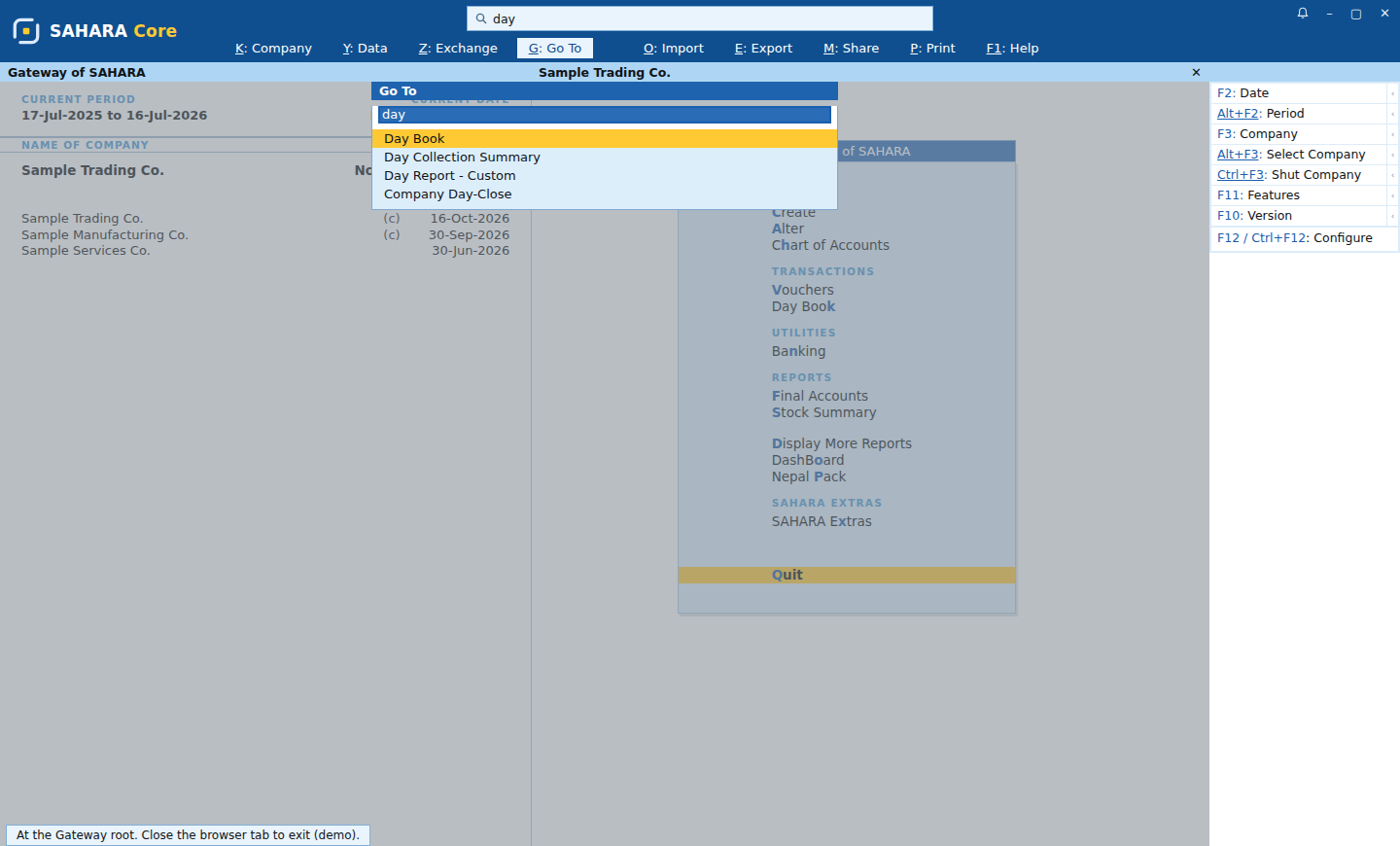
Any screen in two keystrokes
Alt+G and a few letters open any report, ledger or item by name. The fastest way around your books.
Everything a Nepali business keeps books for.
Vouchers, reports, stock, VAT, banking and backups, in one program that runs on your own computer.
Vouchers
Sales, Purchase, Payment, Receipt, Journal, Contra, Debit and Credit Notes, stock journals and post-dated vouchers, all from the keyboard.
Explore →Reports
Trial Balance, Balance Sheet, Profit & Loss, Day Book, ledgers, cash and bank books, cash flow and ratios, with drill-down to the voucher.
Explore →Inventory
Godowns, batches, units and alternate units. Stock summary, stock query, movement and ageing, valued by FIFO, LIFO or average.
Explore →Nepal VAT and dates
Enter and read dates in BS or AD. VAT registers and Anusuchi-10 and Anusuchi-13 reports, made from your own books.
Explore →Banking and cheques
Bank reconciliation, cheque printing and register, deposit slips and post-dated cheque tracking.
Explore →Backup and your data
Back up your books on a schedule, restore any backup, and check your data with Verify Data.
Explore →Familiar from the first minute. Fast forever.
The Gateway menu, function keys for every voucher, Go To for any screen: the keyboard workflow experienced accountants already know, with nothing to unlearn.
Bring your books in →- VVouchers, from the Gateway
- F8Sales
- F9Purchase
- F5Payment
- F6Receipt
- F7Journal
- F4Contra
- Alt+GGo To any screen
- Ctrl+AAccept
- EscBack one step
Your books never leave your computer unless you send them.
Even without a licence, you can always open, print, export and back up your books. SAHARA Core never locks you out of your own records.
How we treat your data →Free tools for everyday sums.
They run in your browser. Nothing is sent anywhere, nothing is kept, and you don't need to sign up.
Buy once with a year of updates, or rent.
Start with a free trial. One licence covers every company on your installation.
See pricingOne PC
SAHARA Core on a single computer.
Shop network
One server PC, with your other computers connected over the shop network.
Talk to a person in Nepal.
Call or WhatsApp us when you're stuck. We'll help you set up, import your books, or close your year.
Phone and WhatsApp
+977 970-500-5120 · WhatsApp
E-mail
support@thesaharalabs.com
Hours
Sunday to Friday, 10:00–17:00 Nepal time
Free for accounting professionals.
A free practice licence, early access and a direct line to our team. And books built to be audited: every change in the Edit Log, every total traceable to its voucher.
Asked before you switch.
Does SAHARA Core need the internet?
No. SAHARA Core runs on your own computer with its own database, so your day-to-day work does not need the internet.
Can I bring my books from other software?
Yes. Export your data as an XML file and open SAHARA Core's Import wizard: it brings in your masters and vouchers, and shows you a preview before anything is saved. You can also paste master lists from a spreadsheet, and import bank statements.
Does it handle Nepal VAT?
SAHARA Core keeps VAT registers and prepares Anusuchi-10 and Anusuchi-13 reports from your own books, with dates in BS or AD. A direct connection to IRD's online billing is not part of SAHARA Core yet.
What happens if I stop paying?
Your books stay yours. You can always open, print, export and back them up. A bought licence keeps working; only releases after your year of updates need a renewal. If a trial or rental ends, SAHARA Core moves to Educational mode, where you can still enter vouchers on the 1st, 2nd and last day of each month.
Which computers does it run on?
Windows 10 (22H2 or later) or Windows 11, 64-bit, with at least 4 GB of memory. Use it on one PC, or on several computers across your shop network from one server PC.
Is my data safe?
Your books live on your computer, not ours. Every change is written to an edit log with tamper detection, and backups run on a schedule you choose.
Keep your books the fast way.
SAHARA Core: accounting and inventory for Nepal, on your own computer.